Write the statistical design once.
The SAP, the specifications, the programs in R and SAS, the tables and the dashboard follow from it. A statistician writes the plan as a structured document; Sapling checks it, and a person decides every choice.
Works fully without AI. Nothing leaves your computer unless you connect an AI of your own.
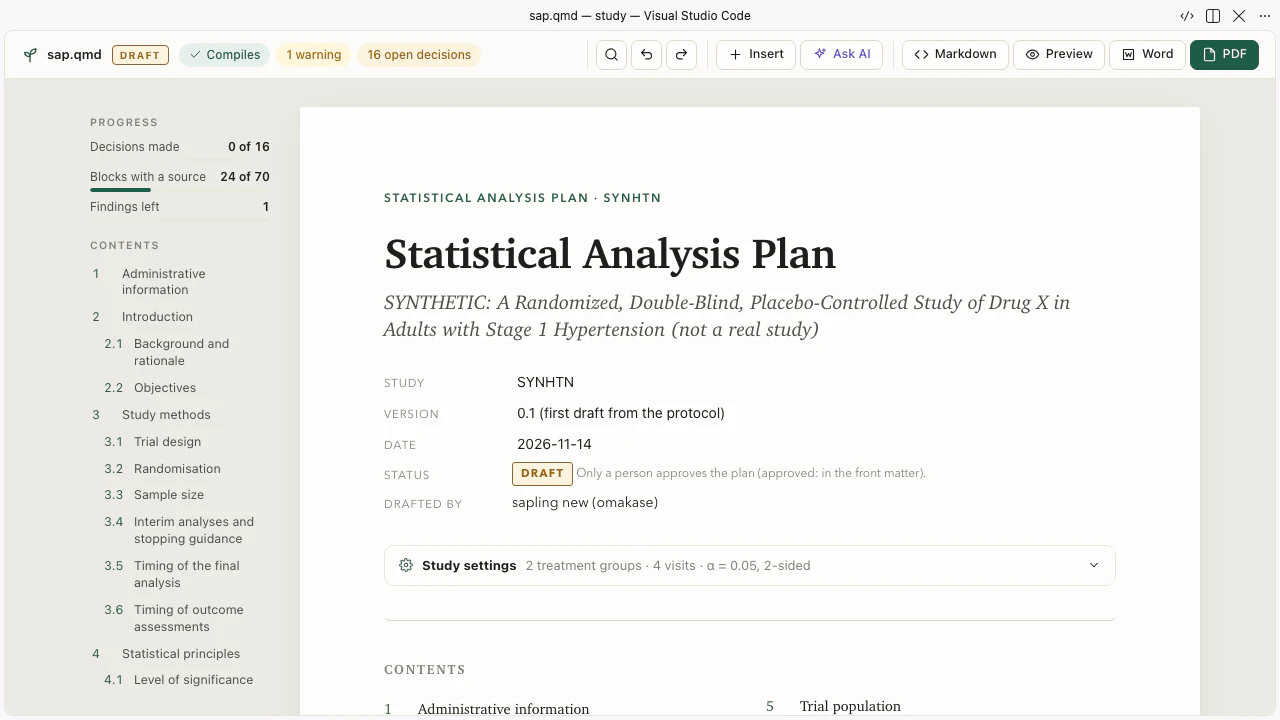
Every choice is a block that quotes the protocol.
A population, a table, a model, an estimand: each is one block of a Quarto Markdown file, sap.qmd, with the protocol sentence it rests on. Where the protocol is silent, the plan holds an open decision with the question, and a person answers it. The editor shows the plan as a document with forms, and checks every line as you type.
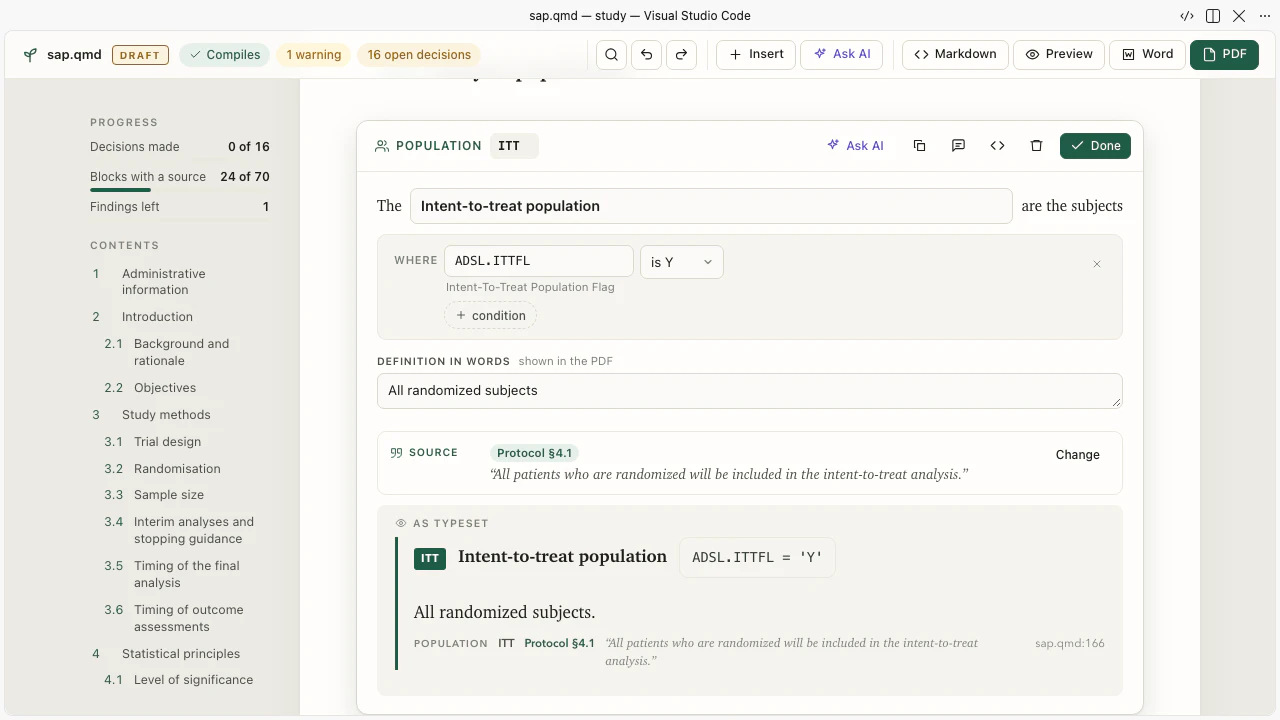
Complete without AI. With one, the AI proposes and you decide.
With no AI connected you still get the forms, the checks, the decision interview with its options, and proposals from the guideline rules and from templates. Connect the AI you already use (Claude Code, Codex, Gemini, an OpenAI-compatible address, or a command of your own) and it proposes blocks that you accept, decline or improve. Every proposal is compiled in its place before you see it. The AI never approves a plan and never answers a decision.
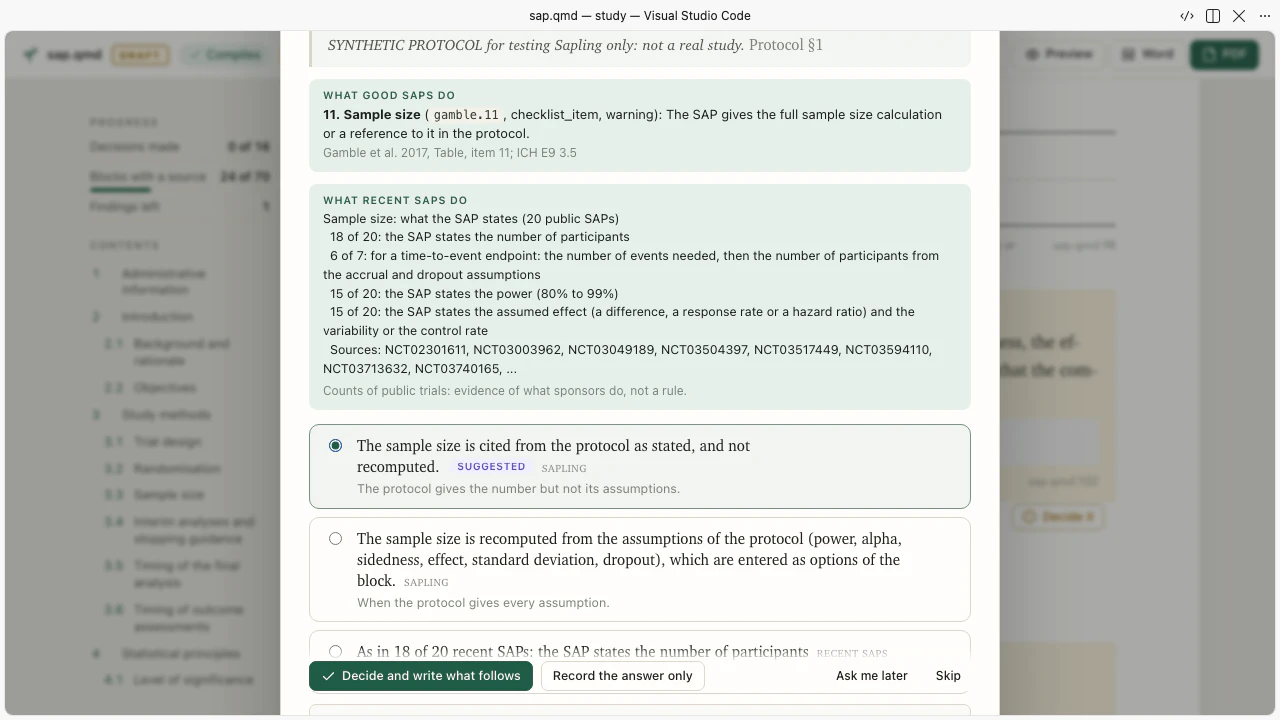
Programs in R and in SAS that read the same, and numbers that agree.
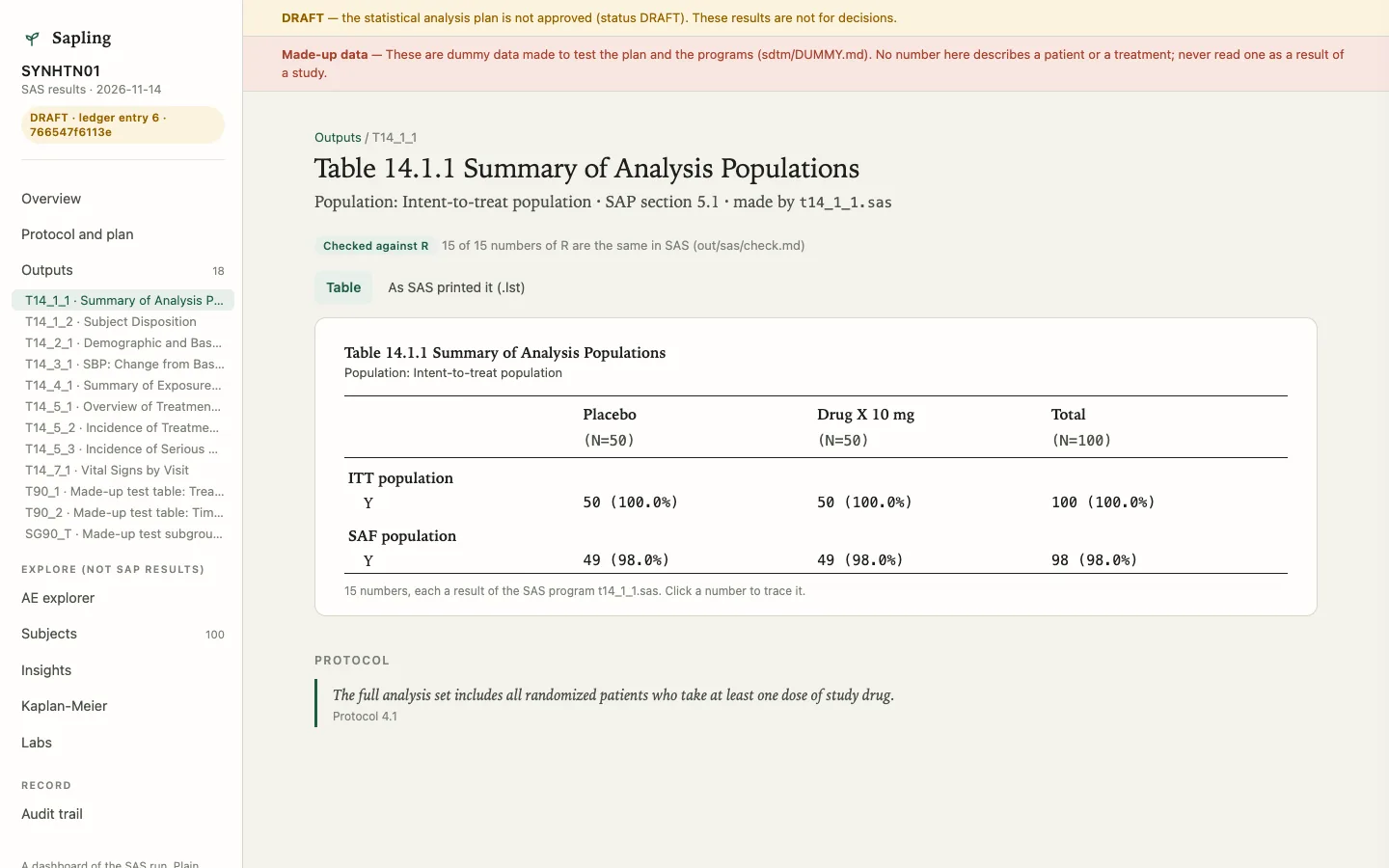
From the plan Sapling makes the ADaM and TLF specifications, the programs, the define table and the submission package. Each table is written in R and in SAS as the same blocks in the same order, then every number of one is compared with the number of the other. On the made-up study SYNHTN01, 759 of 759 numbers are the same. The dashboard opens any number: click it, and you see how it was made.
SAS: out/sas/programs/t14_1_1.sas
%freq(
    data   = adsl
  , var    = ittfl
  , by     = trt01p
  , levels = ittfl 'Y'
  , total  = yes
  , label  = "ITT population"
  , out    = t14_1_1_itt_summ
)

%stack(t14_1_1_itt_summ t14_1_1_saf_summ, out=t14_1_1)
%columns(data=t14_1_1, n=adsl, var=trt01p,
         order=trt01pn, total=yes, out=t14_1_1_cols)
%ard(data=t14_1_1, columns=t14_1_1_cols)
R: r/sapling/examples/t14_1_1.R
t14_1_1_itt_summ <- freq(
    data   = adsl
  , var    = ittfl
  , by     = trt01p
  , levels = list(ittfl = "Y")
  , total  = "yes"
  , label  = "ITT population"
)

t14_1_1 <- tlf_stack(t14_1_1_itt_summ, t14_1_1_saf_summ)
t14_1_1_cols <- columns(data = t14_1_1, n = adsl, var = trt01p,
                        order = trt01pn, total = "yes")
ard(data = t14_1_1, columns = t14_1_1_cols)
Table 14.1.1 of the made-up study SYNHTN01 (the second population block is left out here).
From the plan to R and SAS · Dashboards · The specifications
Your trial has 75% power, not 90%.
A made-up trial is sized for 90% power with an effect of -6 mmHg. Under its assumptions, one patient in five on the active arm stops the drug and loses the effect, and the primary estimand is treatment policy. The effect the trial will estimate is -4.8, not -6, and the simulated power is 75%. About 306 patients are needed, not 200. sapling design simulates the design in R and says this before the protocol is final.
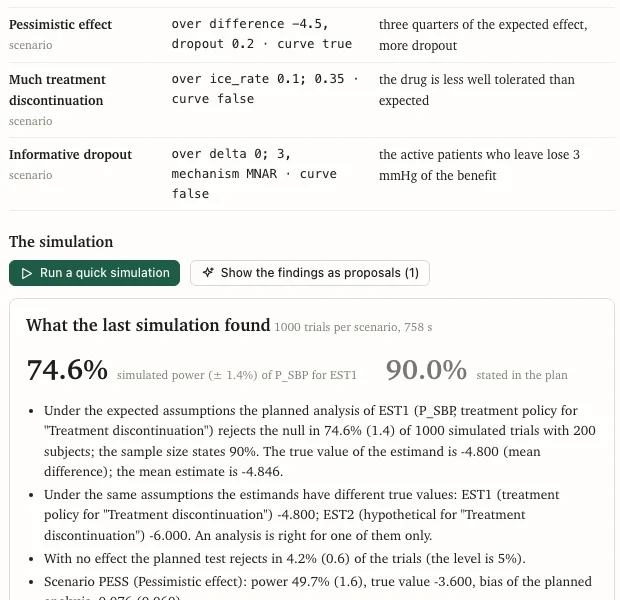

A made-up trial. Simulated data are assumptions made visible, not evidence: no number of a simulation is a result of a study.
Install the extension and open the sample study.
You need VS Code 1.85 or newer, or Positron. You do not need Node.js, an AI, R, SAS or the command line. Quarto, which is free, is only for the PDF.
- Install the extensionNot on the Marketplace yet: from the file
sapling-sap-0.14.0.vsix, Extensions view, the menu, Install from VSIX. - Open the sample studyRun Sapling: Open the Sample Study. It is SYNHTN01, a made-up hypertension trial with dummy data.
- Follow the first ten minutesA first plan, three decisions, a proposal, the PDF and Word, with no AI, R or command line.
The data statement, in three lines.
The plan, the protocol files and the metadata stay in your study folder. The extension has no telemetry, and the editor page is blocked from every network request.
Requests go to your own provider and no one else, never to the Sapling authors. Sapling ships no model and stores no key.
It cannot approve a plan, answer an open decision or write your name. A person does.